
Fiber connection and distribution references
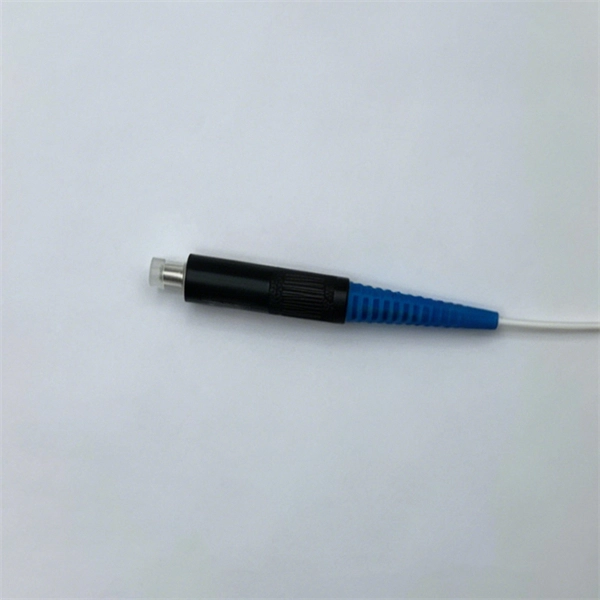
How to configure a TP Link fiber optic router
Setting up your TP-Link router for fiber optics may seem like a daunting task, but with the right steps, it can be quite easy. In this article, we''ll show you how to set up your TP-Link router quickly and
TP-Link Router Setup | Web Management Page Guide
This guide walks you through a complete TP-Link router setup using the browser-based web management page. You can access the router setup
How to Connect Fiber Optic Cable to Router: A Step-by
However, setting up a fiber optic connection to your router can seem daunting if you''re unfamiliar with the process. In this guide, we''ll walk you
TP-Link FTTH Router Setup Guide | PDF | Fiber To The
This document provides a guide for setting up a TP-Link wireless router for a fiber internet connection.
TP-LINK TL-WR1043N FIBER SETUP MANUAL Pdf Download
View and Download TP-Link TL-WR1043N fiber setup manual online. 300Mbps Wireless N Gigabit Router. TL-WR1043N wireless router pdf manual download. Also for: Tl-wr1043nd.
How to Connect Fiber Optic Cable to Router: Complete
Take the time to connect fiber optic cable to router correctly, and you''ll enjoy the full potential of what is undoubtedly the most advanced home
Setting up TP-Link router (FTTP) – Swift Internet
In this guide we will look at connecting a TP-Link router to your Swift Ultrafast full-fibre FTTP service. The actual TP-Link control panel may look different to what is described but the procedure should be
5 Easy Ways to Configure a TP Link Router
If you recently bought a new TP-Link router, you can easily configure it using the Quick Setup process using the user interface, which you can access
How To Configure Router For Fiber Internet: Step-By
To set up your router for fiber internet quickly, connect the router to your fiber modem, access the router''s settings via a web browser, and input the
Best Wireless Routers For Fiber Optic Internet Connections And Fast
Fiber optic internet has revolutionized the way we access and utilize online services, offering unparalleled speeds and reliability. As a result, selecting the right equipment to maximize this
9 Best Wi-Fi Routers For Fiber Optic Internet Reviews
Discover the best routers for high-speed fiber optic internet. Get blazing fast Wi-Fi performance for your home network.
Router Not Working
A router can stop working for many reasons: a loose cable, a modem issue, weak Wi-Fi, incorrect settings, outdated firmware, or an outage from your internet provider. The fastest way to fix
The 3 Best Wi-Fi Routers of 2026 | Reviews by Wirecutter
We''ve tested the latest Wi-Fi routers and found the best options—from budget models to top-of-the-line—to make your wireless network
AI Infrastructure, Secure Networking, and Software
Cisco is a worldwide technology leader powering an inclusive future for all. Learn more about our products, services, solutions, and innovations.
How to Set Up Mesh WiFi 2026: Complete Setup Guide
Learn how to set up mesh WiFi with our 2026 guide. Step-by-step instructions for optimal placement, configuration, and troubleshooting for whole
TP-Link Archer GE800 Wi-Fi 7 router review: Gaming-focused w
The TP-Link Archer GE800 brings Wi-Fi 7 into the gaming router space with a clear pitch: deliver the high-end speed, low-latency features, and multi-gig connectivity gamers want without
Best Wi-Fi Routers of 2026 for Working, Gaming, and
You want the best Wi-Fi router out there so you don''t suffer the buffer. We''ve tested more than 40 systems, and the Asus RT-BE58U is our top
The Top 10 WiFi Routers In India (2026 Best Sellers)
This tutorial explores the top WiFi Routers in India with their pricing, features, and comparison to help you select the best WiFi Router.
Related Video Reference
This video was associated with the source search result. Verify technical details against current product documentation and project requirements.