
Fiber connection and distribution references
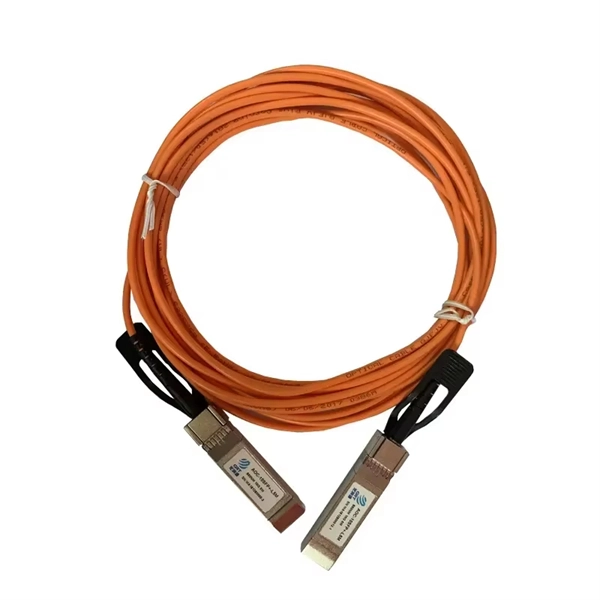
How to Connect Fiber Optic Cable to Router: A Step-by
However, setting up a fiber optic connection to your router can seem daunting if you''re unfamiliar with the process. In this guide, we''ll walk you
How to Connect Fiber Optic Cable to Router: Complete
By following this detailed guide, you''ve not only learned how to connect fiber optic cable to router properly but also how to optimize and maintain
How to Connect Fiber Optic Cable to Router: Top 5
Learn how to connect fiber optic cable to router with our step-by-step guide. Optimize your home network for speed and reliability!
How to Connect Fiber Optic Cable to Your Router
Master connecting a fiber optic cable to your router with tips, setup instructions, and configuration for optimal internet connectivity.
Fiber Internet Installation: Step-by-Step Guide (2026)
For a fiber optic connection, you need an optical network terminal (ONT), a router, and appropriate Ethernet connections for wired devices. Your
How to Connect Fiber Optic Cable: Comprehensive Guide
Master how to connect fiber optic cable with our detailed guide. Step-by-step instructions to ensure you achieve the best performance and reliability in your setup.
How to Connect Fiber Optic Cable to Router: A Step-by-Step Guide
Connecting a fiber optic cable to a router might seem daunting at first, but with the right tools and a bit of patience, it''s a straightforward process. Here''s a step-by-step guide to help you through it.
How to connect a fiber optic cable to the router
Connect the fiber optic cable to the router: Carefully insert the end of the fiber optic cable into the corresponding port on the router. Make sure the connection is tight to avoid connection
How to connect a fiber optic cable to the router
The router may require a few minutes to set up the new connection. 7. Verify the connection: To make sure everything worked correctly, check the internet connection on your
How to Connect Fiber Optic Cable to Router: A Step-by-Step Guide
Fiber optic internet delivers blazing-fast speeds and reliable connectivity, making it a top choice for modern homes and businesses. However, setting up a fiber optic connection to your router
Do you need a Modem for Fiber Optic Internet? (Explained!)
If you are covering a large area with a lot of devices in connection, then you should try to buy a powerful router with multiple antennas. So, you don''t need a modem for your fiber optic
How To Connect Fiber Optic Cable To Router?
Once everything is properly connected and configured, your router will distribute the fiber optic internet to your devices either via Ethernet cables or through a Wi-Fi connection. If you
What Is an ONT & How Is It Used in Fiber Networks?
The ONT converts the incoming fiber light signal into electrical data, terminating your fiber connection at the home. A router then takes that connection and shares it
9 Best Fiber Optic Modem Router Combo | Fiber Optic Mesh & WiFi 7
This guide breaks down the top models for the best fiber optic modem router combo, covering everything from multi-gig LAN ports to mesh coverage and security features.
10 Best Optical Fiber Router: In-depth Reviews
An optical network router (a.k.a. fiber-ready router) serves as a bridge, providing the connection between your fiber optic internet and your home
How Does Fiber Optic Internet Work?
Once the fiber line reaches your home, it connects to the ONT device we discussed earlier, which translates the light signal into an electrical one. That
Can I Use My Own Router for Fiber Internet? | Mercury
See when you can use your own router for fiber internet, what equipment is still required, and how to choose a compatible router for your home.
9 Best Fiber Optic Modem Router Combo | Skip the SFP+ Confusion
The moment your fiber ONT lights up, the bottleneck shifts from your ISP to the box on your desk. A standard router chokes on multi-gig plans, but the right fiber optic modem router combo turns that
Related Video Reference
This video was associated with the source search result. Verify technical details against current product documentation and project requirements.