
Fiber connection and distribution references
RG11 CABLES FOR MAIN LINES AND FOR CONNECTING AN AMP
RG11 cables are often used for long-distance runs and high-frequency applications because of their low signal loss. Here''s a breakdown of how they can be applied for main lines and
How to Connect a Splitter to Another Splitter: A
In this guide, we''ll explain how to safely connect a splitter to another splitter, covering both fiber optic and coaxial setups.
Power dividers and directional couplers
OverviewApplicationsNotation and symbolsParametersTransmission line typesWaveguide typesDiscrete element typesBibliography
The coupled output from the directional coupler can be used to monitor frequency and power level on the signal without interrupting the main power flow in the system (except for a power reduction – see figure 3). If isolation is high, directional couplers are good for combining signals to feed a single line to a receiver for two-tone receiver tests. In figure 20, one signal enters port P3 a
How to Find Main Cable Line? My Guideline for You
The main cable line is typically connected to a coax splitter, which splits the signal to multiple outlets in your home. Coax splitters are often located
the sequence is like this: From the Provider engineer: ADSL source > Phone line box splitted into 2, 1 line connected to main phone (using 1 cable inside the box, so connected in parallel i...
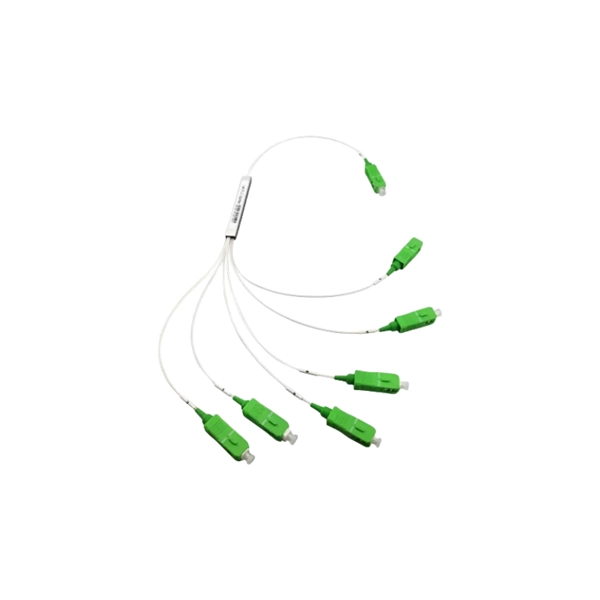
Fiber Optic Splitter: How It Works & Types Guide
Learn how fiber optic splitters work, types (PLC, FBT), and uses in FTTH/data centers. Understand signal splitting, key specs, and how to choose
Internet stops working once I split coax? : r/HomeNetworking
I left the main line in from the street running directly to the coax port where my modem is located. From there, I used a 3 way splitter (5-2k MHz) to run (1) one coax to the modem, (2) one to the MoCa
Phone-man''s Home Phone Wiring Advice Page
Advice for home phone wiring and jacks with information at adding second or third line and reference for wire color codes.
Introduction to Passive Optical Network Splitter Architectures
Another version of a distributed split architecture uses 1x2 splitters with unbalanced power outputs that then may connect to additional splitters. The power outputs are adjusted along the route.
How to Split a Coaxial Cable (While Minimizing Signal
Splitting coaxial cable involves installing a cable splitter and attaching however many cables to the output ports as needed, and running these to the TV
How to use a cable splitter for TV and Internet?
Introduction In the modern digital landscape, maintaining a stable and high-performance connection for both television and internet access is paramount. While direct, dedicated coaxial
How to Use an Ethernet Cable Splitter: The Ultimate
Learn how to efficiently split an ethernet cable using a splitter with this ultimate guide. Connect multiple devices using a single network cable.
Splitting a feeder for two structures
Seems there is no problem with splitting the feeder. The code only requires the feeder to be big enough to handle the load and the conductors are protected a the point of supply. I agree this
Splitting a circuit breaker into multiple lines
I recently found out that several rooms in my house are apparently connected to one circuit breaker. Setup: My wife was in the bathroom drying her hair and I decided it was time to nuke lunch in the
How to Split a Circuit Breaker to Prevent Circuit Overloads
Splitting a double-tap breaker is straightforward as long as you have an empty slot in your panel. If you have to tap a junction box to split a circuit, it
How to Connect a TV and Modem to One Cable Outlet
Everything you need to know about using a cable splitter to connect a TV or streaming box and modem to the one coaxial cable outlet.
How to Split a Coaxial Cable (While Minimizing Signal
How to Use a Cable Splitter To use a splitter, you simply attach the end of each coaxial cable (which must terminate with an F connector) into each
Diplexer, combiner, splitter or tap? Learn the difference
If you''re not sure of the difference between a diplexer and a splitter, you''re not alone ''s very confusing to know the difference between a splitter, a
Related Video Reference
This video was associated with the source search result. Verify technical details against current product documentation and project requirements.