KENHARDT OPTICALNetworks across Africa Talk through a project
Fiber systems / Technical reading Optical reference library

How to wire the temperature controller in the distribution box

Inside this technical reference
Source context

AI source overview

Wiring a temperature controller distribution box involves connecting the power supply, temperature sensors, output devices, and optional safety or alarm components according to the controller's wiring diagram. Step 1: Understand Your ComponentsBefore wiring, familiarize yourself with all components in the distribution box: Temperature Controller: Central unit with input terminals for sensors, output terminals for heaters/coolers, and power supply terminals. Sensors: RTDs or thermocouples that measure system temperature.

Output Devices: Heaters, coolers, or other actuators controlled by the temperature controller. Switching Devices: Solid State Relays (SSR) or contactors for high-current loads. Indicators and Alarms: Digital displays, lights, or buzzers for monitoring and alerts.

Safety Devices: Circuit breakers or thermal fuses to prevent overcurrent or overheating. Step 2: Connect the Power SupplyIdentify the live (L) and neutral (N) terminals on the controller. Connect the live wire to the L terminal and the neutral wire to the N terminal.

Ensure all connections are secure and insulated to prevent short circuits. Step 3: Connect the Temperature SensorLocate the sensor input terminals, often labeled S1 and S2. Connect the sensor wires according to polarity if required.

Verify the sensor type (RTD or thermocouple) matches the controller settings. Step 4: Connect Output DevicesIdentify the output terminals, typically labeled OUT1 and OUT2.

For A

C loads, wire the output through a relay or contactor to the heater or cooler.

For D

C logic or SSR-controlled systems, connect the controller output to the SSR input (e.g., terminal 1A to SSR positive, 1B to SSR negative) and then wire the SSR to the load. Ensure the output device is rated for the voltage and current of your system. Step 5: Additional ConnectionsAlarm Outputs: Connect buzzers or indicator lights to designated terminals if your controller supports alarms.

Extra Sensors: Some controllers allow multiple sensors for redundancy or advanced control. Safety Devices: Integrate circuit breakers or thermal fuses in series with the power supply or load to protect against overcurrent. Step 6: Testing and ProgrammingDouble-check all connections for correct polarity and secure fastening.

Power on the system and verify the controller receives sensor readings. Test the output devices by setting the desired temperature and observing the controller's switching behavior. Adjust controller settings as needed for proportional or on/off control.

Safety Tips

Always disconnect power before wiring. Use proper insulation and wire gauges for the load. Follow the manufacturer's wiring diagram for your specific controller model.

Ensure SS

R or contactor ratings match the load to prevent overheating or failure. By following these steps, you can safely and efficiently wire a temperature controller distribution box for precise temperature regulation in industrial or home applications.

Research context

Reference summary

Temperature Controller Connection with RTD, Thermocouple, SSRHere, you can see the connection diagram of a Temperature Controller with an RTD, Thermocouple.

From reference to enquiry

Questions for your project

Use these editorial prompts alongside the linked excerpts. They identify items to confirm for your project.

Detailed reading / connection to installation

Fiber connection and distribution references
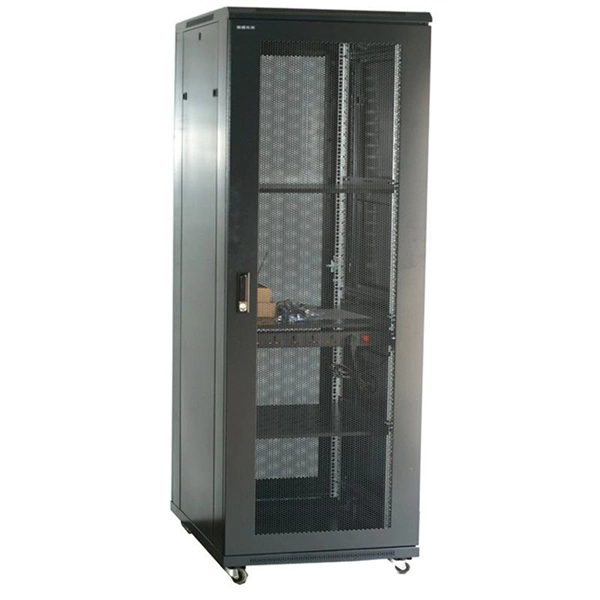
How to wire the temperature controller in the distribution box
Equipment illustration / verify against the selected product

Temperature Controller Connection with RTD, Thermocouple, SSR

Here, you can see the connection diagram of a Temperature Controller with an RTD, Thermocouple, SSR, Indication Lamps, Alarm System, etc.

Step-by-Step Procedure for Installing a Temperature Controller in a

How to connect a temperature controller to a PLC? This step-by-step guide provides a comprehensive checklist for the proper installation and commissioning of temperature controllers in

How To Wire a Temperature Controller

This video is part 1 of a 2 part series demonstrating how to wire a temperature controller to a power controller for either an AC Logic (Both Relay

Temperature Controller Wiring | Temperature Controller Wiring Step

Learn how to wire a temperature controller for automatic heating or cooling control. This short video shows how to connect the sensor, power supply, and load properly.

How to Wire a Temperature Controller: A Comprehensive Guide

Wiring a temperature controller involves several steps, from connecting the power supply and sensor to testing and programming the device. By following this guide, you can ensure that your temperature

Wiring diagrams

Standard wiring for heating applications. Note: In Figure 1, R to B opens on temperature rise. Figure 2. Standard wiring for cooling applications. Note: In Figure 2, R to Y closes on

How to Connect a Temperature Controller: A Comprehensive Guide

Learn how to connect a temperature controller with our step-by-step guide. From identifying terminals to troubleshooting, we cover everything you need to know for optimal performance.

Dual Temperature Controller Wiring Guide | PDF | Sensor | Switch

Dual Temperature Controller Wiring Guide 1. The wiring diagram shows the connection of a dual temperature controller to a heating device, cooling device, and power supply. 2. If the T2

How To Connect A Temperature Controller?

Connecting a temperature controller involves wiring its inputs (temperature sensors) and outputs (heating/cooling devices) to the unit while ensuring proper power supply and configuration;

WORLD WIDE WEB JOURNAL Home

By clicking download, will open to start the export process. The process may take but once it finishes a file will be downloadable from your browser. You may continue to browse the DL while the export

Full text of "NEW"

Full text of "NEW" See other formats Word . the, > < br to of and a : " in you that i it he is was for - with ) on ( ? his as this ; be at but not have had from will are they -- ! all by if him one your or up her there

Latest news & breaking headlines | The Times and The Sunday Times

The latest breaking UK, US, world, business and sport news from The Times and The Sunday Times. Go beyond today''s headlines with in-depth analysis and comment.

CBS News | Breaking news, top stories & today''s latest headlines

CBS News offers breaking news coverage of today''s top headlines. Stay informed on the biggest new stories with our balanced, trustworthy reporting.

Renesas Electronics Corporation

A global leader in microcontrollers, analog, power and SoC products, Renesas delivers trusted embedded design innovation to shape a limitless future.

Windy City Wire | Low-Voltage Cable Management Specialists

Windy City Wire is the industry leader in cable management solutions, offering labor savings at every phase of the cable management process from concept to completion.

Related Video Reference

This video was associated with the source search result. Verify technical details against current product documentation and project requirements.

Make the connection clear

Share the fiber interfaces, termination capacity, cable route and evidence required for handover.

Send a project brief