
Fiber connection and distribution references
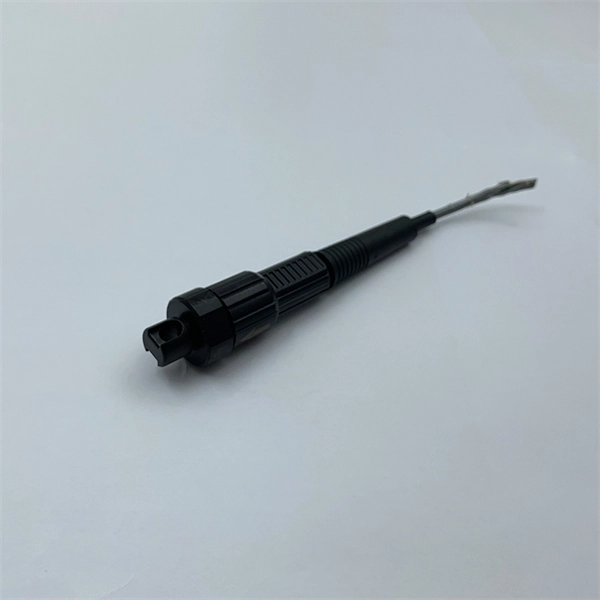
How to install a fiber optic splitter step-by-step?
Installing a fiber optic splitter involves several crucial steps to ensure proper functionality and reliability. Here''s a step-by-step guide to help you through the process:
How to Use Optical Couplers and Splitters in Fiber Networks
Optical coupler and splitter guide: split or combine fiber signals, choose the right device, and optimize your fiber network for reliable performance.
Fiber Optic Splitter: How It Works & Types Guide
Learn how fiber optic splitters work, types (PLC, FBT), and uses in FTTH/data centers. Understand signal splitting, key specs, and how to choose the right splitter.
How to install and use a fiber optic splitter?
Plug the input fiber into the splitter''s input port (marked "IN" or "E") and connect the output port to the end device. Use clips or screws to secure the connectors and ensure a secure physical
How to install and use fiber optic cable splitter?
After installing the fiber optic cable splitter, you need to test the link attenuation and troubleshoot to ensure smooth fiber link operation and minimize
Do You Know How to Place and Use the Optical Splitter?
In the realm of optical communication networks, the optical splitter serves a vital role in dividing and distributing optical signals efficiently. Understanding how to properly place and use an optical splitter
Complete Guide to Fiber Optic Connectors and Splicing
This article provides an overview of fiber optic connectors, splicing techniques, and maintenance practices. It explains how proper installation and upkeep contribute to network
How To Use Fiber Optics Splitters In Your Network
If you''re wondering how to use fiber optic splitters in your network, you''ve come to the right place. In this article, we will look at FBT splitters, Cassette splitters, and the PLC splitter.
How to Install Fiber Optic Cable and Split it in Two (4 Steps)
Insert one end of the fiber optic cable into the "In" port accessible through your wall. This is an installation point similar to a coaxial cable, telephone line or electrical outlet. Connect the opposite
Fibre Optic Network Design Principles – Wray Castle
Introduction to fibre optic network design Fibre optic network design is the structured engineering process of planning how optical fiber infrastructure connects buildings, campuses, cities,
32 Port Fiber Distribution Box |12 SC Duplex &72-Core
The 32 port fiber splitter distribution box comes in three internal structure options, they all can achieve direct and branch connection of optical cable.
Fiber Panels, Modules & Cassettes
Explore CommScope''s efficient and scalable fiber splice panels designed for seamless connectivity. Accommodating LC, SC, and MTP/MPO connectors,
Basics of Fiber Optic Distribution Box
Fiber Optic Distribution Box (FDB) is a crucial component in a fiber optic network. Its primary function is to provide safe and reliable connection, distribution, and management of optical
What is a Subsea Fiber Optic Cable
1. What is a Submarine (Subsea) Fiber Optic Cable? Submarine fiber optic cables carry over 99% of international data traffic. Unlike terrestrial cables,
4 Port FTTH Fiber Distribution Box
4-core FTTH optical fiber distribution box with sc fiber optic coupler. It is suitable for the protective connection of optical cables and distribution pigtails. Easy to Install: This kind of fiber optic
Fiber Optic Connector Types: A Beginners Guide
The fiber connector types, sometimes referred to as terminations, link fiber optic cables together through terminals, switches, adapters, and patch
Optical Digital Audio Cable & Connection Explained
You can use an optical digital audio out for 5.1 surround sound, but is this the best connection to use? Learn more in this guide to TOSLINK optical audio.
MOS-H444TD400FW-P | OptiSheath® MultiPort Splitter Terminal, 1x4
The OptiSheath® MultiPort Splitter Terminal is designed for use in outside plant fiber access networks. This innovative terminal provides fast, easy subscriber connections and splitter functionality in one
Related Video Reference
This video was associated with the source search result. Verify technical details against current product documentation and project requirements.