
Fiber connection and distribution references
Configure the optical ports of Huijue switches
All-optical Ethernet switches are a type of switch that provides optical uplink and downlink ports, making them an ideal choice for building an all-optical campus network.
How to use the optical port on a Huijue switch
How to use the optical port on a Huijue switch This article summarizes several solutions for using optical modules with switches and common problems encountered during usage, along with specific solutions.
Checking the optical port status of Huijue switches
Check whether the optical module used on the switch is certified by Huawei switches. For the Huawei-certified optical modules, Huawei has added Huawei logo and identifier and changed the vendor
Where are the optical modules in the Huijue switch
For details about the optical modules supported by optical ports on switches, see "Appearance and Structure" of a specific switch model in the Hardware Description.
Checking optical and electrical ports on Huijue switches
ABC Stimulo Photonics designs and manufactures fiber optic cables, optical transceivers, ODF frames, data center cabling solutions, MPO/MTP components, and FTTH equipment for telecom, data
Displaying Optical Module Information
Remove and install the fiber and optical module to ensure that the fiber and optical module are properly connected. Check whether the fiber connector is damaged or dirty.
How to use the optical port on a Huijue switch
If an optical module is installed in a running switch, you can run the display transceiver command to view parameters of the optical module, including the center wavelength, transmission distance, fiber types
Typical Troubleshooting Cases of Optical Module
Check whether the optical module is a Huawei-certified one. If not, replace it with a Huawei-certified optical module. If the optical module is installed on a GE port, run the display interface
Where are the optical modules in the Huijue switch
See the interface module via the optical display command information, including general information of the optical module, manufacturing information, and alarm information.
Checking Optical Attenuation on Huijue Optical Switches
Use the command display transceiver to view the optical module information of all optical ports, and use the command display transceiver interface interface-type interface-number to view the optical module
The Data Center Guys | Telecommunication Outdoor Cabinet
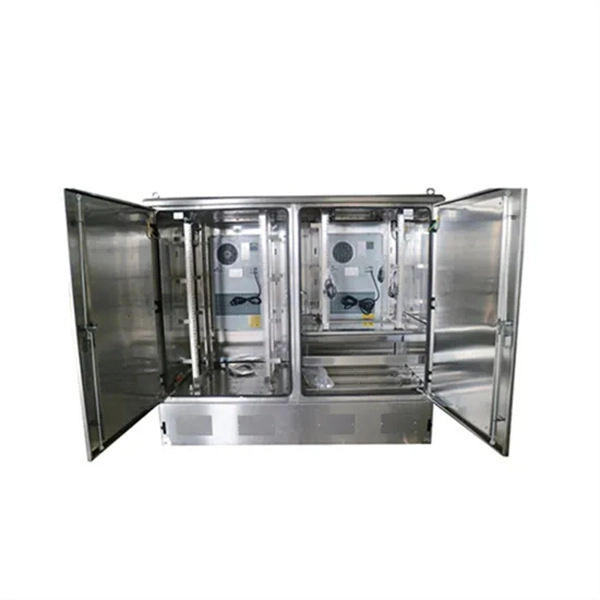
Outdoor optical cabinet provides safe, reliable and flexible optical fiber/cable circuit management, suitable for various communication networks, especially for users'' optical fiber access network
Cisco Networking for Service Providers
Find the scalable network infrastructure and software solutions to address your challenges with Cisco Networking for service providers.
Optical Module: Typical Optical Module Troubleshooting Procedure
Check the model of the faulty optical module. If it is not a Huawei-certified optical module, replace it with a Huawei-certified optical module. If the optical module is installed on a GE port, run the display
port is disconnected due to optical module faulty
As per checked the log, it was found that the host port was disconnected, This alarm indicates the port and switch has been disconnected. Hence, we would advise you to perform cross
Displaying Optical Module Information
When certifying an optical module, Huawei comprehensively verifies the functions of the optical module to ensure the optical module quality. The functions include the installation and removal, transmit and
Optical Module Solutions for Huawei S5700/S5720 Series Switches
When using switches, we may encounter many confusions, such as what types of optical modules are needed for different models of Huawei switches, and how to resolve issues encountered
How To View Optical Transceiver Information On Huawei Switches
Back PREVIOUS: How To View Port Status And Optical Module Information On Cisco Switches NEXT: Guidelines For Reinstalling IOS XR System Of Cisco ASR9010 Router In
Checking the Optical Module
Procedure Check whether the firewall supports the optical module based on the model of the optical module inserted into the interface and hardware description in the product documentation. The